Your labels, at a glance
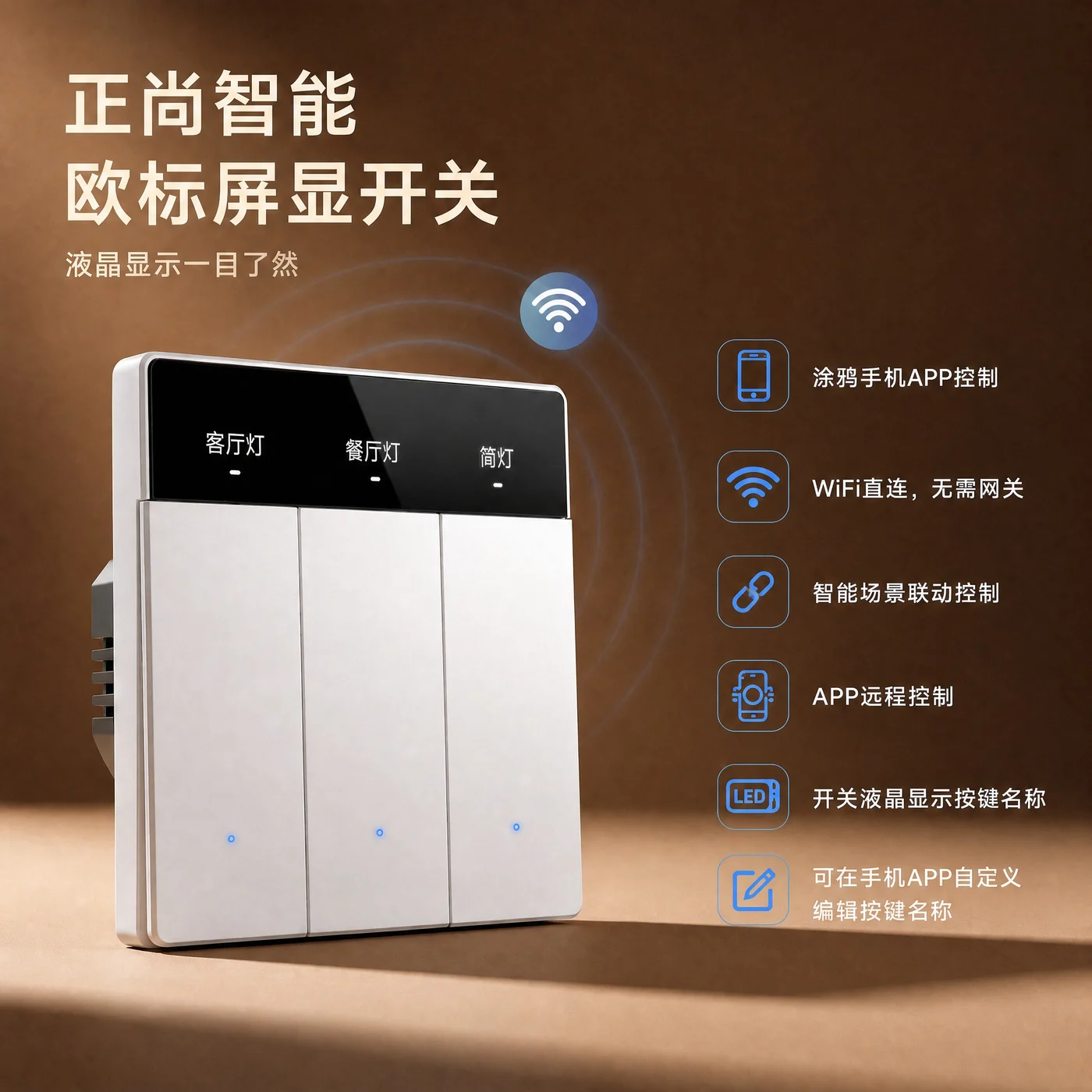
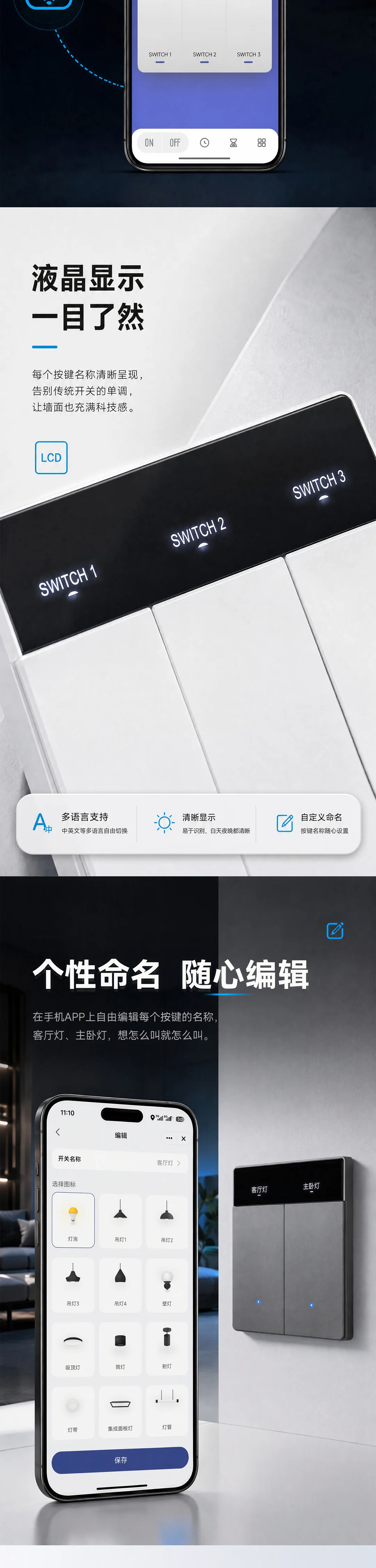
Name buttons for the living room, dining room or downlights in the app. The corresponding text appears on the LCD.

Product images · Click the main image to enlarge
Original product artwork contains Chinese text. Product descriptions, features and controls are provided in English.
ZNSN · SMART DISPLAY SWITCH
ZSHB
Every button has a clear name.
Edit LCD button labels in the Tuya app. Direct Wi-Fi connectivity and radar screen wake-up make everyday control more intuitive.
Wenzhou Zhengshang Electronics Co., Ltd. · Phone / WeChat: 17705876555
CLEAR DISPLAY, SIMPLE CONTROL
From custom button names to remote operation, keep everyday controls within easy reach.
Name buttons for the living room, dining room or downlights in the app. The corresponding text appears on the LCD.
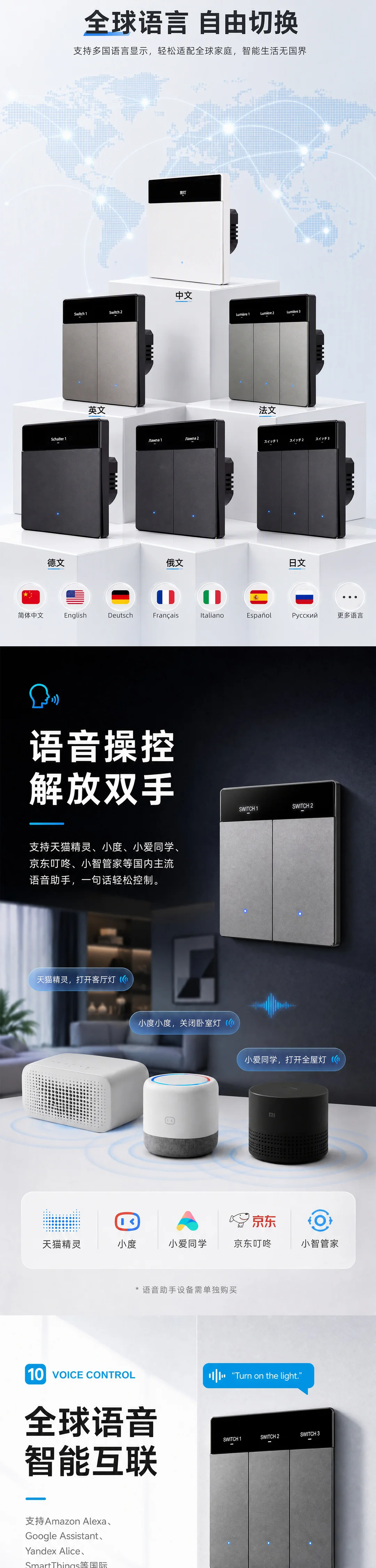
Button labels support Chinese, English, French, German, Russian, Japanese, Korean, Thai, Vietnamese, Spanish and other languages.
Manage switches, timers, countdowns and scenes in the Tuya app. Remote control is available while the device is online.
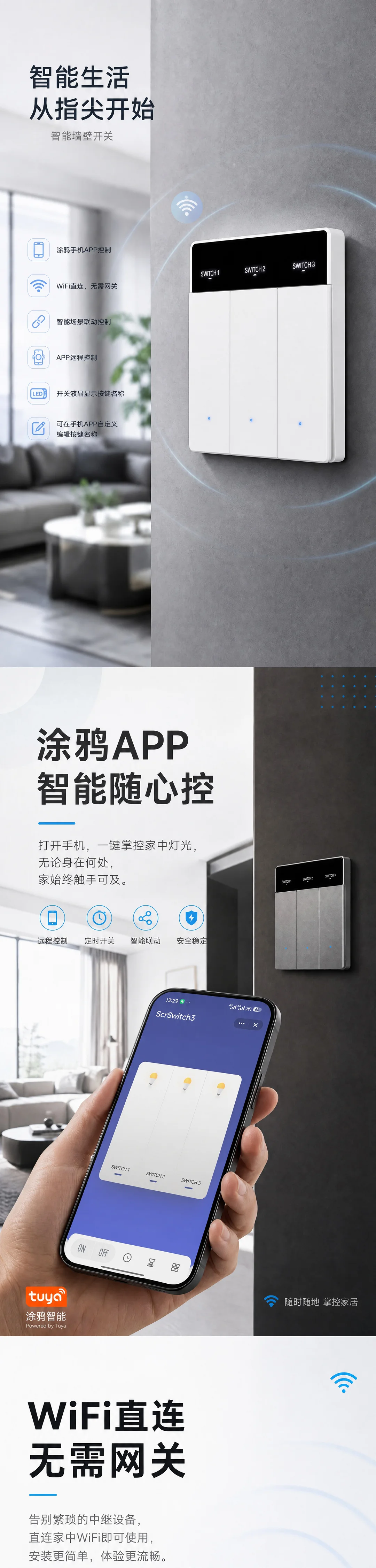
WI-FI CONNECTION
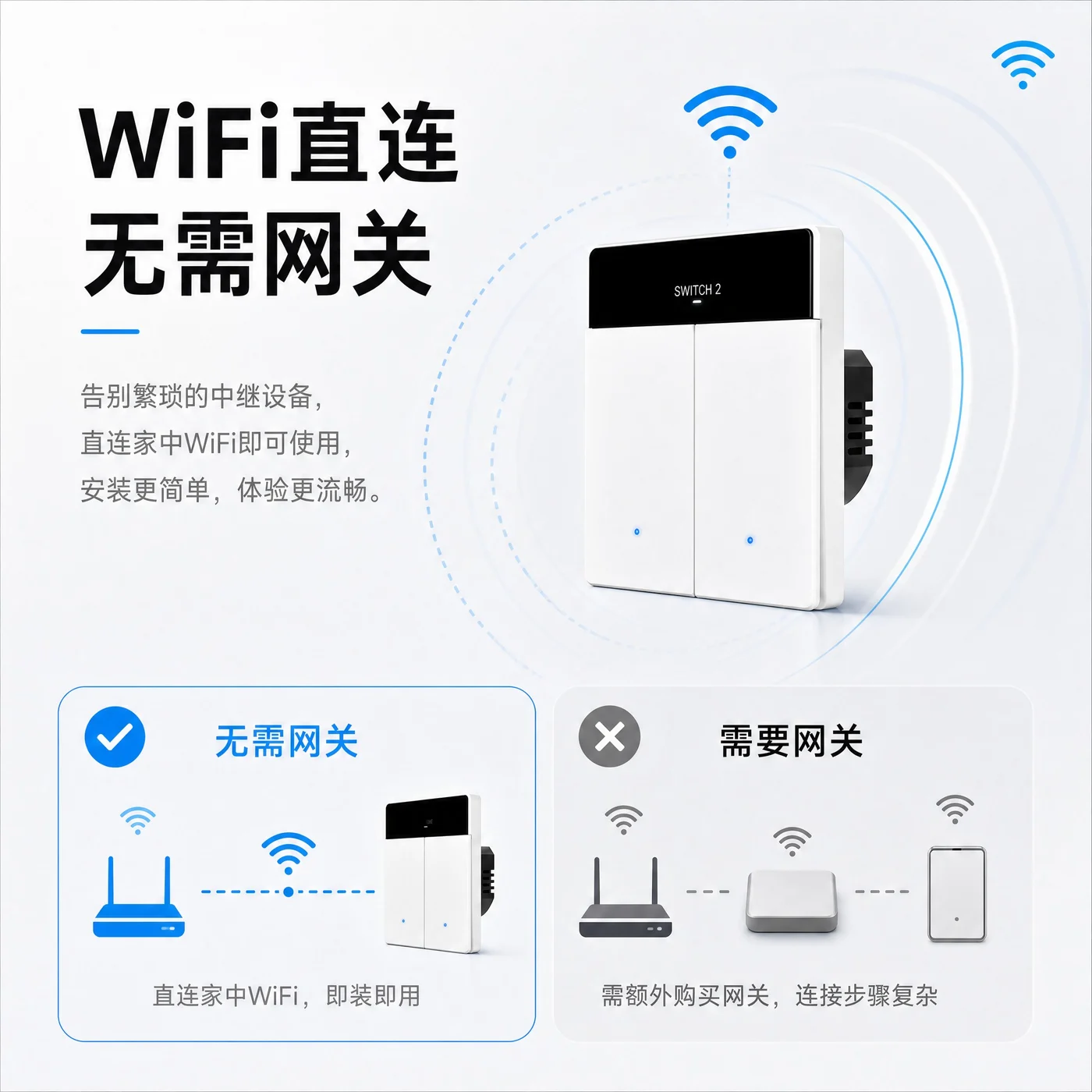
Connect and manage the device in the Tuya mobile app. Set up everyday switching, timers and remote operation from your phone.
Explore all control features →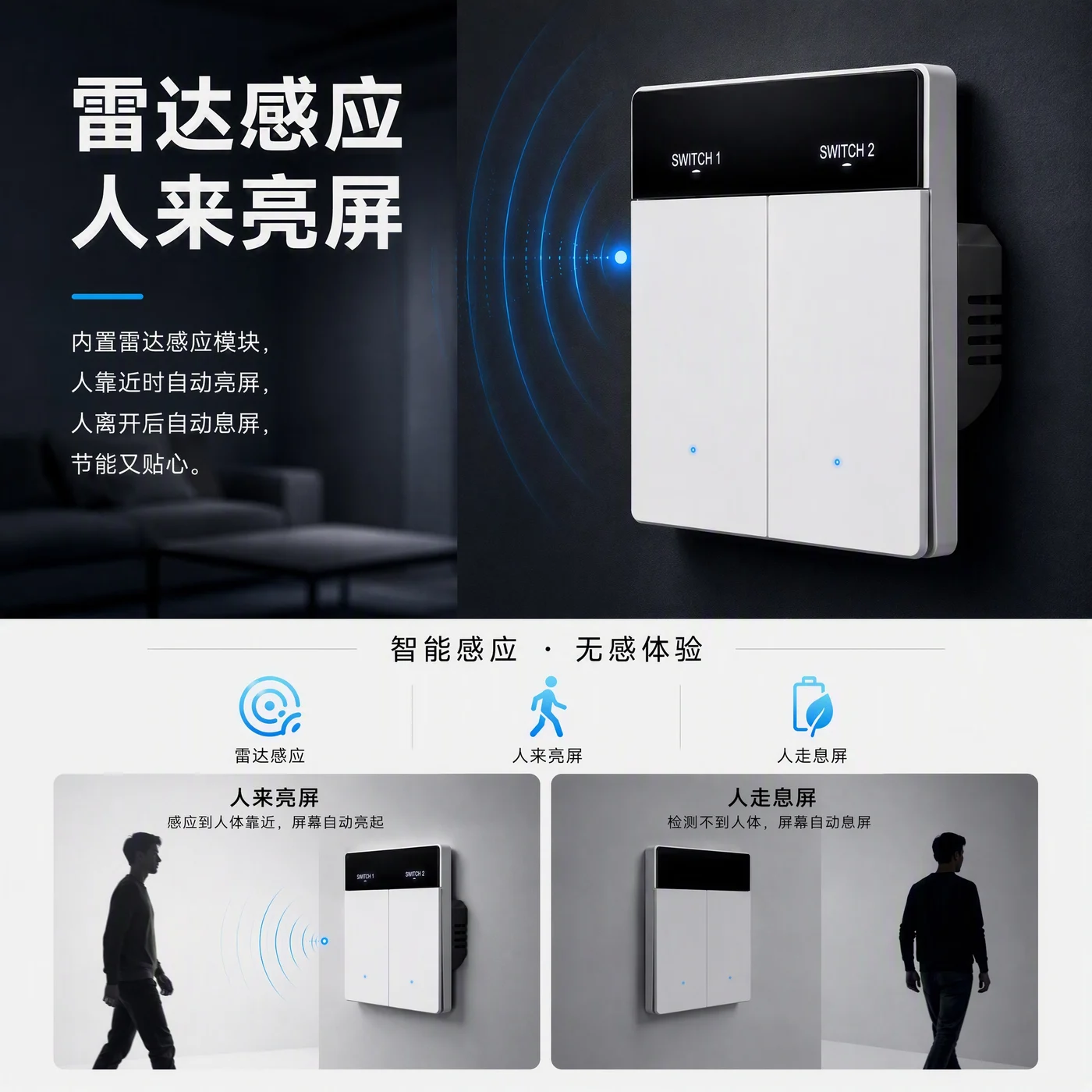
RADAR WAKE-UP
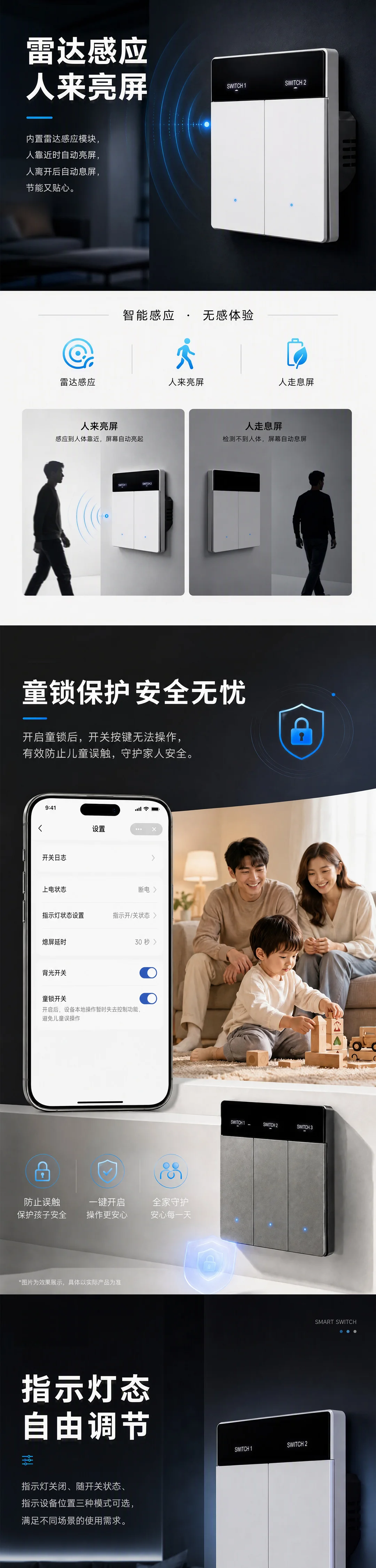
Built-in radar wakes the screen when someone approaches and turns it off after they leave. Adjust the screen-off delay to suit your routine.
Radar controls screen wake-up. Automatic lighting requires a suitable scene configuration.
FUNCTION OVERVIEW
Manage switches and view or operate your lighting in the mobile app.
Connect to a Wi-Fi network without an additional gateway.
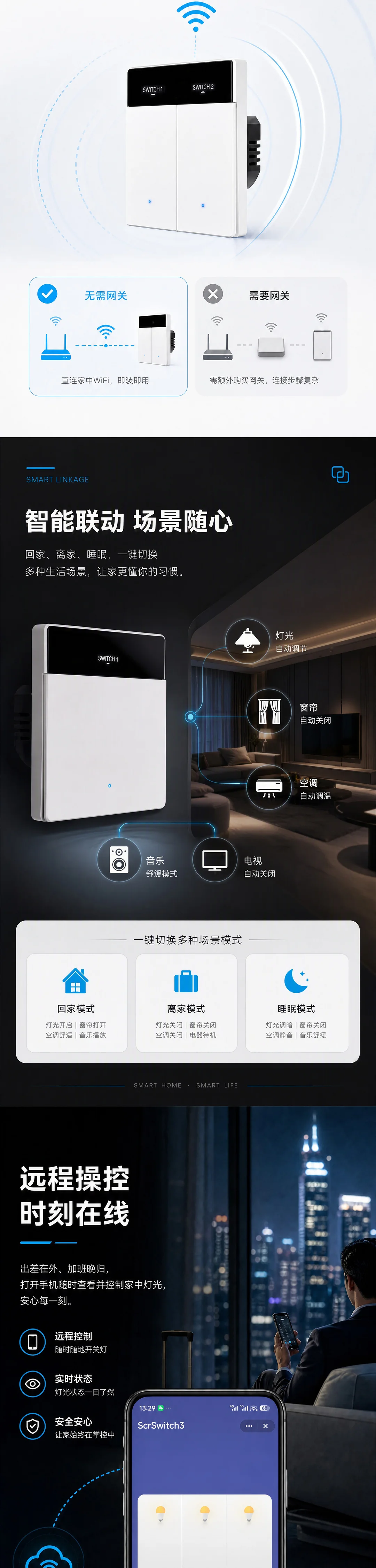
Configure home, away or sleep scenes with compatible devices to suit your routine.
Control the switch remotely through the mobile app while the device is online.
Display the name of each light on the switch so you can identify it before pressing.
Edit each button label in the app to match the room or lighting function.
Supports Chinese, English, French, German, Russian, Japanese, Korean, Thai, Vietnamese, Spanish and other text.
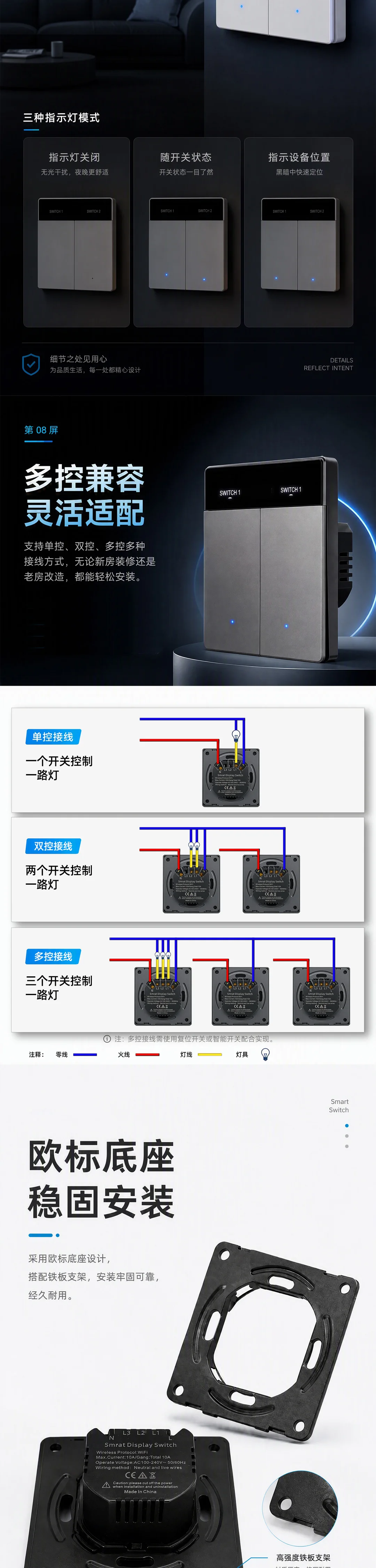
Supports different control arrangements. Select a configuration for the actual wiring and devices.
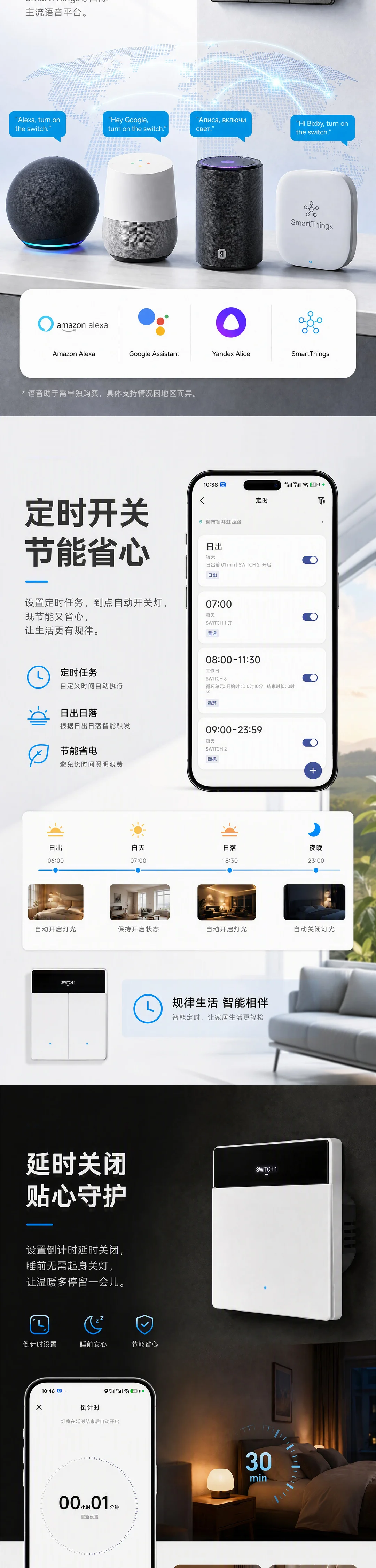
Works with a range of Chinese and international voice assistants and smart platforms. See compatibility information below.
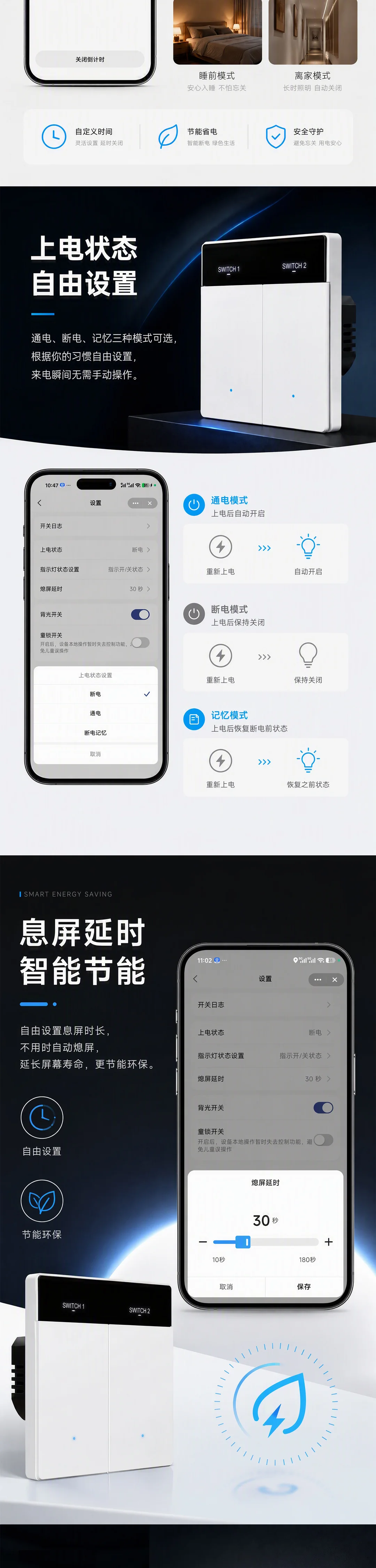
Set app-based schedules to switch lights on or off at selected times.
Set a countdown or delay to turn the lights off when needed.
Choose power-on, power-off or restore the previous state after power is restored.
Turn the indicator off, show switch status or use it to locate the device.
Set the delay before the screen turns off in the app.
Disables local switch-button control to reduce accidental operation.
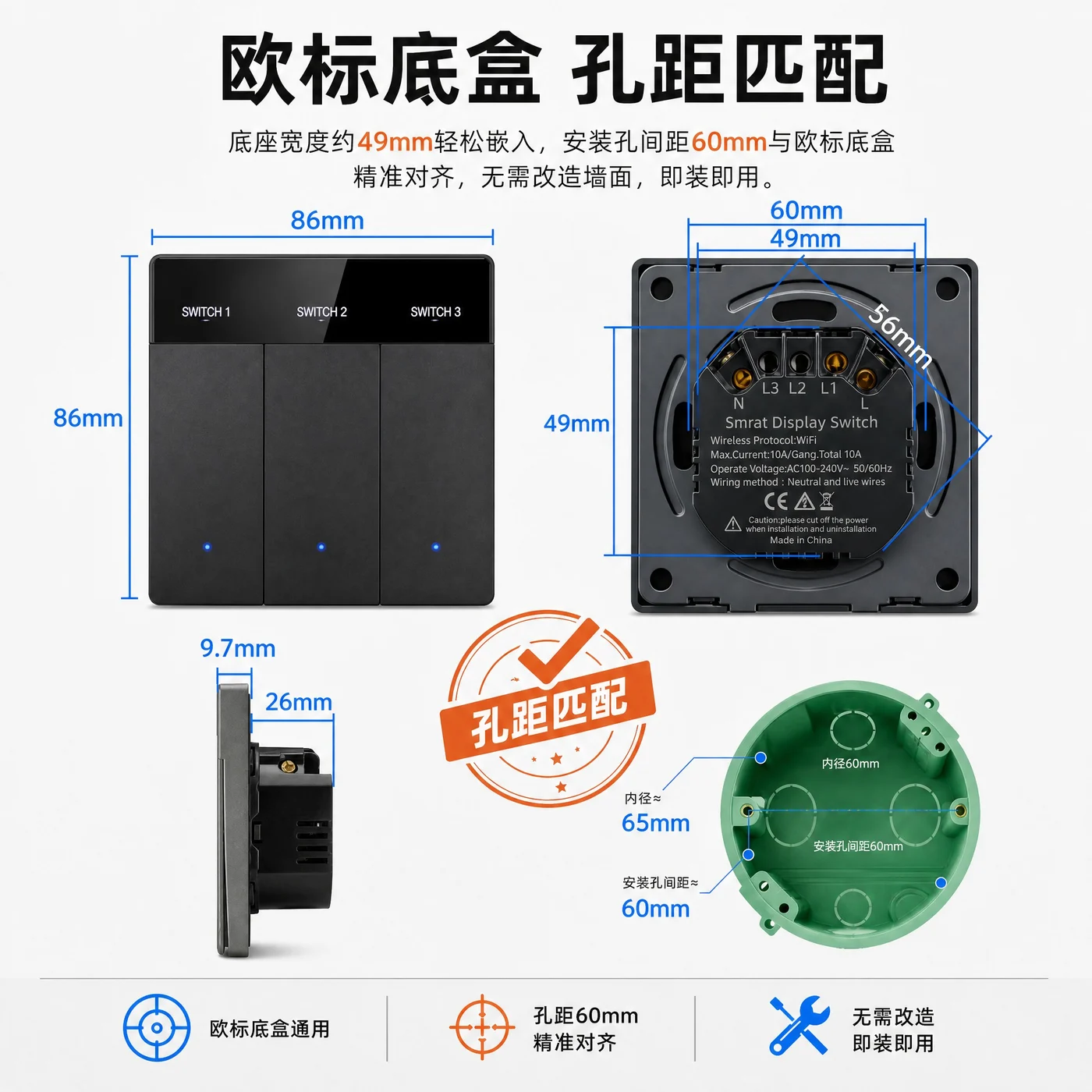
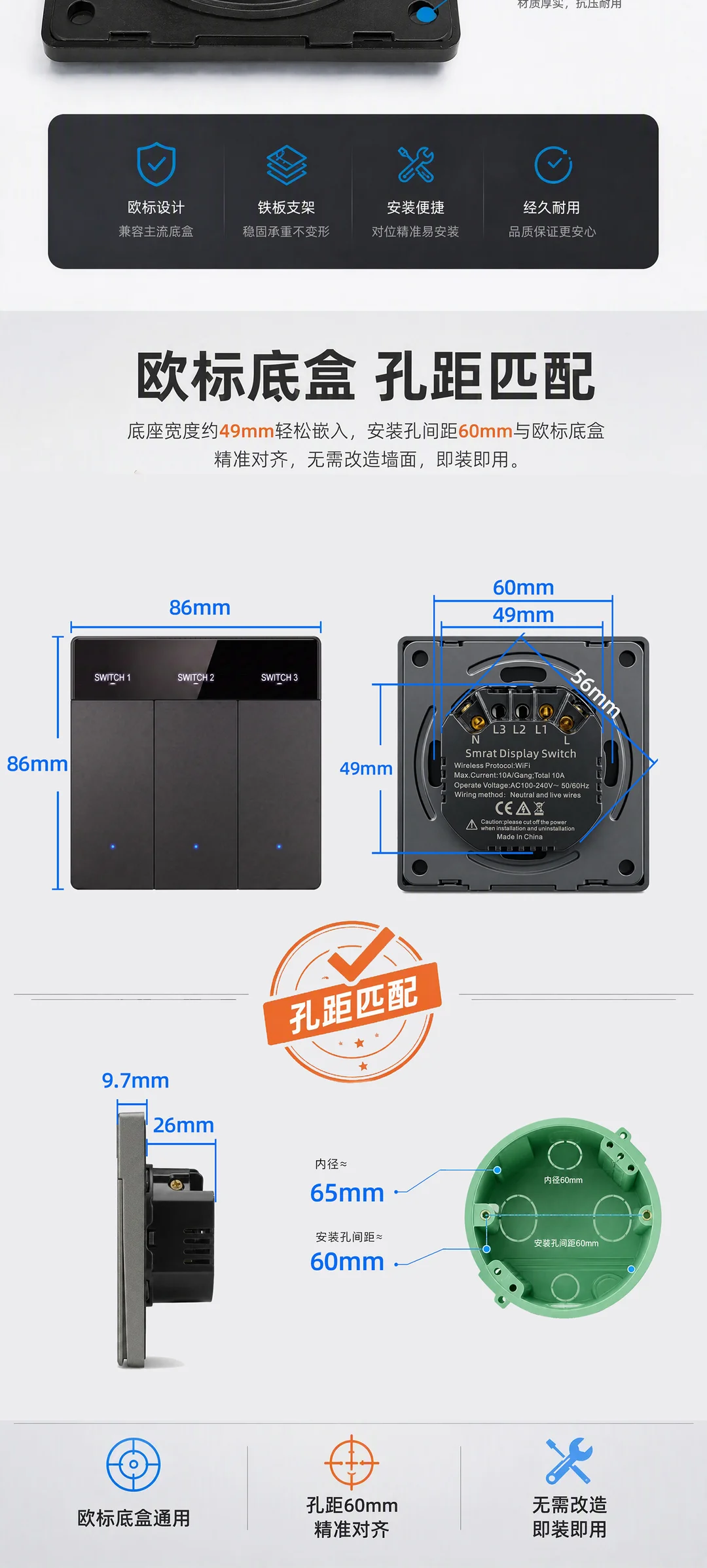
A European-style base with a steel mounting bracket. Check wall-box dimensions and mounting-hole spacing before installation.
The screen wakes when someone approaches and turns off after they leave, working with the configured screen-off delay.
CONNECTED LIVING
Requires the relevant accounts, compatible devices and platform services. Availability may vary by region. Specify your target platform when confirming the configuration with sales.
Set up compatible devices for home, away or sleep scenes through smart scene integration.
Curtains, air conditioners and other devices in a scene must be compatible and configured separately.
PRODUCT SPECIFICATIONS
| Product name | Smart Display Switch |
|---|---|
| Model | ZSHB |
| Brand / manufacturer | ZNSN / Wenzhou Zhengshang Electronics Co., Ltd. |
| Connectivity | Direct Wi-Fi; no gateway required |
| Control app | Tuya mobile app |
| Button display | LCD labels; app-editable names; multilingual text |
| Sensing feature | Radar: screen wakes on approach and sleeps after departure |
| Control configurations | Single-, two- and multi-location control |
| Mounting structure | European-style base, steel mounting bracket |
| Panel dimensions | 86 × 86 mm |
| Mounting-hole spacing | 60 mm |
| Base width | Approx. 49 mm |
| Side dimensions shown | Panel section: 9.7 mm; rear section: 26 mm |
Dimensions are taken from the product artwork. Confirm the wall box, wiring and load for your project. Contact sales for the applicable electrical ratings and installation specifications.
BEFORE YOU CHOOSE
No extra gateway is required. ZSHB connects directly over Wi-Fi and is controlled through the Tuya mobile app. Remote functions require the device to remain online.
Yes. Edit button names in the mobile app and display them on the switch LCD. For example, name them for the living room, dining room or downlights.
Supported text includes Chinese, English, French, German, Russian, Japanese, Korean, Thai, Vietnamese and Spanish. Contact sales to check sample display results for special characters or longer names.
The radar feature described here wakes the screen when someone approaches and turns it off after they leave. Automatic lighting requires a separate scene and device configuration.
The local switch buttons cannot control the device when child lock is enabled, helping reduce accidental operation.
Single-, two- and multi-location control are supported. Tell sales about your existing wiring, number of switches and control requirements before purchasing to confirm the appropriate configuration.
Contact Wenzhou Zhengshang Electronics Co., Ltd. at 17705876555, also available on WeChat. Include model ZSHB, purchase quantity, installation region and target platform so we can confirm the configuration and quote.
LET’S TALK ABOUT ZSHB
Product inquiry:ZSHB Smart Display Switch
Please include your quantity, installation region and target platform.